
If you’re starting a web design project, you’ve probably heard the term wireframe thrown around. But what is a wireframe, exactly, and why does almost every successful website start with one? In this guide, we’ll break down everything beginners need to know about wireframing, including the difference between low-fidelity and high-fidelity wireframes, free tools you can use today, and the common mistakes to avoid.
What Is a Wireframe?
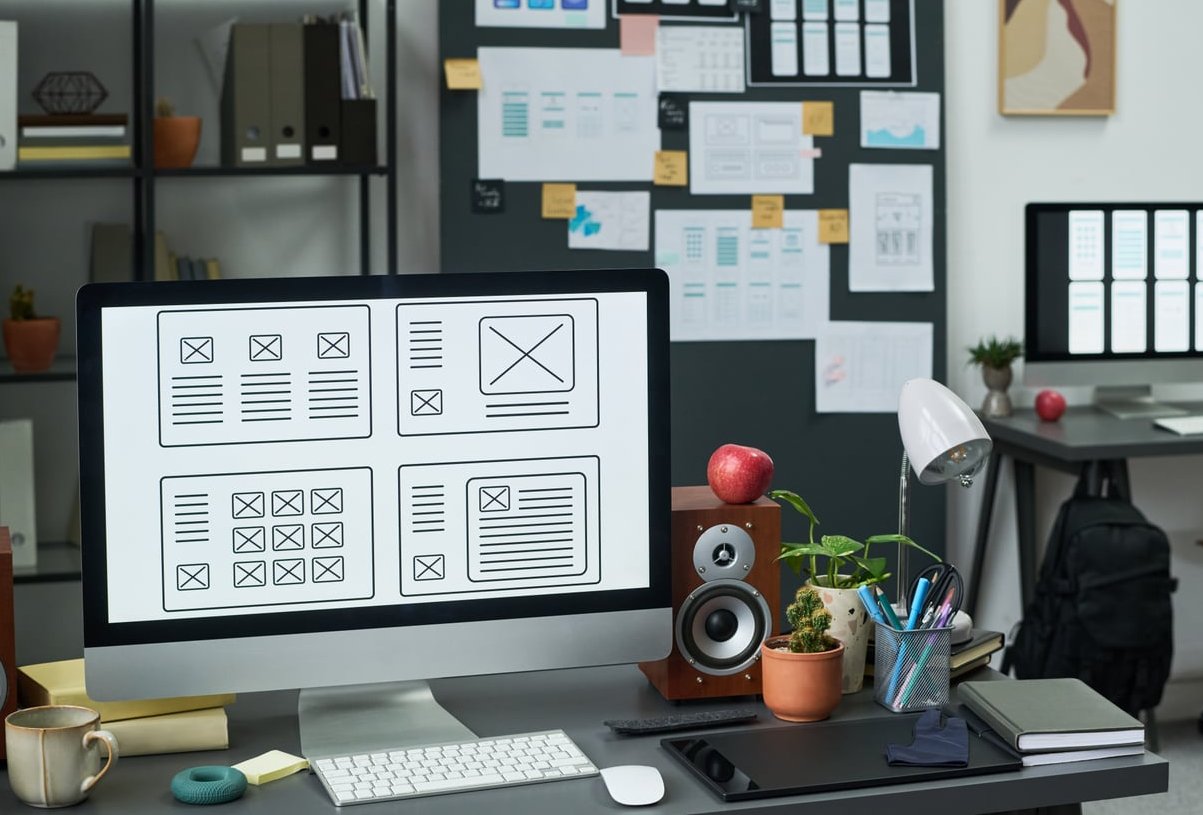
A wireframe is a simplified visual blueprint of a web page or app screen. Think of it as the architectural sketch of a digital interface: it shows where elements like headers, navigation menus, images, buttons, and text blocks will be placed, without focusing on colors, fonts, or final visuals.
The goal of a wireframe is to map out structure, hierarchy, and functionality before any design or development work begins. It’s a low-cost way to test ideas, align teams, and catch usability problems early.
Why Wireframes Matter in Web Design
- Clarify the layout before investing time in visuals or code.
- Improve user experience (UX) by focusing on flow and content priority.
- Save time and money by spotting issues early in the process.
- Align stakeholders, clients, designers, and developers on a single vision.
- Speed up feedback loops since edits to a wireframe are quick and cheap.

Low-Fidelity vs High-Fidelity Wireframes
Not all wireframes are created equal. They typically fall into two categories based on the level of detail they show.
| Aspect | Low-Fidelity Wireframe | High-Fidelity Wireframe |
|---|---|---|
| Detail level | Basic shapes, placeholders, scribbles | Realistic spacing, fonts, real content |
| Tools | Paper, whiteboard, Balsamiq | Figma, Adobe XD, Sketch |
| Best for | Early brainstorming, quick iteration | Stakeholder presentations, dev handoff |
| Time to create | Minutes | Hours to days |
There’s also a middle category called mid-fidelity wireframes, which include cleaner shapes and some hierarchy but still avoid full visual design. Many teams start low, then progress to mid or high fidelity as the project matures.
How to Create a Wireframe in 7 Steps
Whether you’re designing a landing page or a full e-commerce site, the process is similar. Here’s how the team at PixelBright approaches wireframing.
- Define your goal. Identify what the page or screen must accomplish (lead generation, product browsing, sign-ups, etc.).
- Research your users. Understand who will use the interface and what they need to do most often.
- Map the user flow. Sketch how users will move from one screen to the next before designing any single page.
- Start with paper or a whiteboard. Don’t open a tool yet. Quick sketches help you explore ideas faster.
- Move to a digital tool. Once you have a direction, recreate your best sketches in a wireframing app.
- Add content hierarchy. Use boxes, labels, and placeholders to show what matters most on the page.
- Test and iterate. Share with teammates or users, gather feedback, and refine.
Best Free Wireframing Tools in 2026
You don’t need expensive software to build great wireframes. Here are some of the best free options available right now:
- Figma – Free tier with collaborative wireframing and a huge community library.
- Penpot – Open-source alternative to Figma, fully free for teams.
- Balsamiq Wireframes (free trial) – Great for low-fidelity sketch-style wireframes.
- Excalidraw – Perfect for fast, hand-drawn style wireframes in your browser.
- Whimsical – Generous free plan for flowcharts and wireframes.
- Miro – Excellent for collaborative whiteboard wireframing sessions.
Common Wireframing Mistakes Beginners Make
Even experienced designers fall into these traps. Watch out for them:
- Adding too much detail too early. Wireframes are not the place for colors, gradients, or final fonts.
- Skipping user research. A beautiful wireframe based on wrong assumptions is still a failure.
- Ignoring mobile. Always wireframe responsive layouts, not just desktop.
- Using lorem ipsum everywhere. Real (or realistic) content reveals layout problems hidden by placeholder text.
- Designing in isolation. Wireframes should be reviewed by developers and stakeholders early.
- Forgetting states. Empty states, error states, and loading states all need wireframes too.
- Treating it as final. Wireframes are meant to evolve. Be ready to throw them away.

Wireframe vs Mockup vs Prototype
These terms often get confused. Here’s a quick comparison:
| Deliverable | Focus | Interactivity |
|---|---|---|
| Wireframe | Structure and layout | None or minimal |
| Mockup | Visual design and branding | Static |
| Prototype | User experience and flow | Clickable / interactive |
Final Thoughts
A wireframe is one of the most powerful and underrated tools in modern web design. It forces clarity, encourages collaboration, and lays the foundation for an interface that works, not just one that looks good. Whether you sketch on paper or jump straight into Figma, the key is to start simple, focus on structure, and iterate quickly.
At PixelBright, every website we build begins with thoughtful wireframing. If you want a digital product that’s both beautiful and functional, this is where the journey starts.
Frequently Asked Questions
What is the purpose of a wireframe?
The purpose of a wireframe is to plan the structure, layout, and content hierarchy of a digital interface before adding visual design or code. It helps teams align on functionality and catch usability issues early.
What are the three types of wireframes?
The three main types are low-fidelity (basic sketches), mid-fidelity (cleaner digital layouts with hierarchy), and high-fidelity (detailed wireframes close to the final design).
How do you build a wireframe?
Start by defining goals and user needs, sketch ideas on paper, then move to a digital tool like Figma or Balsamiq. Add layout blocks, content placeholders, and navigation, then test and refine with feedback.
What is the difference between a wireframe and a mockup?
A wireframe focuses on structure and layout without visual styling, while a mockup shows the full visual design including colors, fonts, and imagery.
Do I need to wireframe a small website?
Yes. Even a single landing page benefits from a quick wireframe. It saves time during design and development and ensures the page communicates its message effectively.
What is the best free wireframe tool for beginners?
Figma is widely considered the best free option in 2026 thanks to its powerful features, collaboration, and huge library of templates. Excalidraw and Penpot are great free alternatives.